

Download Audio Merge Split – Powerful Audio Management Tool for Mac
Overview
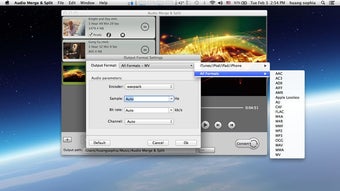
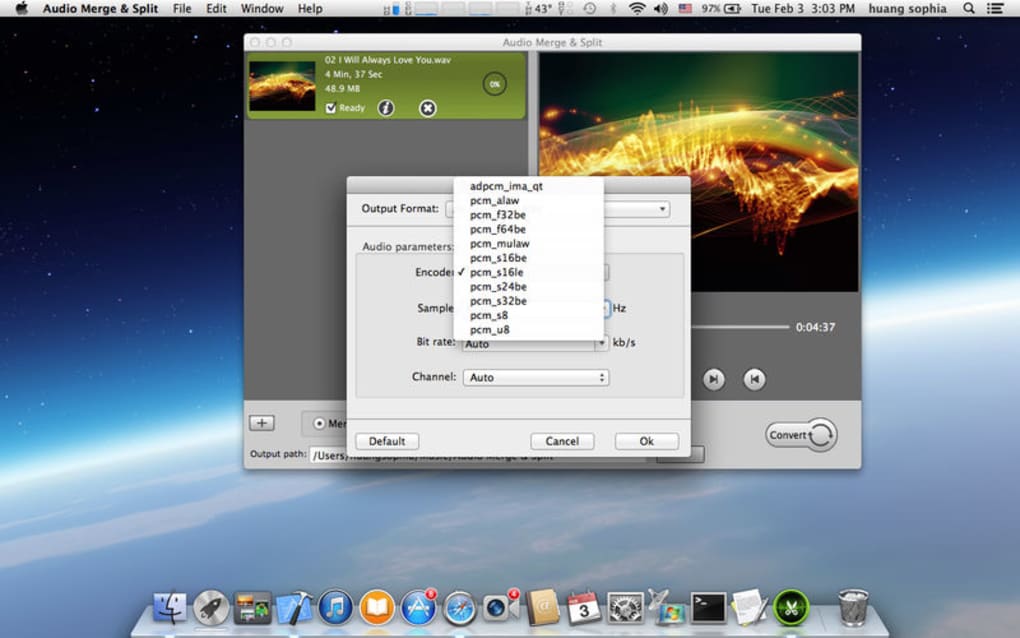
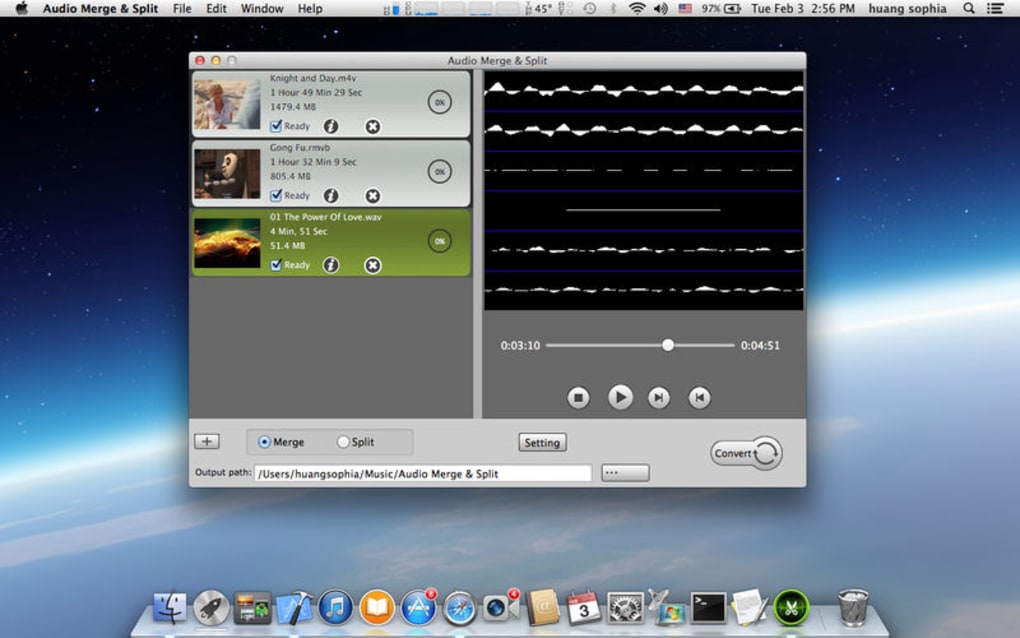
Audio Merge Split is a complete audio‑file management solution designed specifically for macOS 10.8 and later. It brings together conversion, merging, and splitting capabilities in a single, intuitive interface. Whether you need to turn a legacy .wav file into a modern .mp3, combine several podcast segments into one seamless episode, or extract a 30‑second ringtone from a favorite song, this tool covers the whole workflow. The application supports a broad spectrum of audio formats—including Apple Lossless, AC‑3, AAC, AIFF, CAF, FLAC, M4A, MP3, MP2, WMA, and many more—both as input and output, ensuring you never hit a dead‑end because of an unsupported codec. Beyond basic conversion, Audio Merge Split lets you fine‑tune encoder settings such as bit rate, sample rate, and channel configuration, giving you the flexibility required for professional‑grade projects or simple home‑use tasks. A built‑in media player provides instant playback of source files, while a detailed metadata viewer displays every technical attribute (sample rate, encoder, language, resolution, etc.) so you can verify the exact properties of each file before processing. The app also includes a ringtone‑creation wizard that trims audio based on user‑defined start and end times, making it easy to generate custom tones for iPhone, Android, or any other device that accepts standard audio formats. In short, Audio Merge Split offers a secure, fast, and free‑to‑try environment for anyone who wants a reliable, all‑in‑one audio solution on their Mac.
Key Features
- Supports over 20 audio formats for both import and export, including lossless and compressed codecs.
- High‑quality conversion engine with customizable bit rate, sample rate, and channel options.
- Merge multiple audio tracks into a single file without re‑encoding loss of quality.
- Split or trim audio files by specifying exact start and end timestamps.
- Ringtone creator that exports trimmed clips directly to iPhone‑compatible
.m4ror Android‑compatible.mp3formats. - Built‑in media player for previewing source and destination files instantly.
- Comprehensive metadata viewer that displays audio, video, and subtitle streams.
- Batch processing mode for handling large libraries with a single click.
- Lightweight UI that runs smoothly on older Mac hardware (10.8+).
- Free trial with optional paid upgrade for unlimited conversions.
Installation & Usage Instructions
Step‑by‑Step Installation
Downloading and installing Audio Merge Split is straightforward. Begin by visiting the official website and clicking the “Download for macOS” button. The installer is a signed .dmg file, which macOS recognises as safe. After the download completes, open the disk image and drag the application icon into your /Applications folder. macOS may request permission to open the app because it is from an identified developer; simply confirm the prompt, and the software will be ready for use.
First‑Run Configuration
Upon launching the program for the first time, you’ll be greeted by a brief setup wizard. The wizard asks you to choose a default output folder, select your preferred audio encoder (e.g., AAC for iPhone compatibility or FLAC for lossless archiving), and optionally enable automatic updates. All settings are stored in the user’s Library folder, allowing you to modify them later from the Preferences menu.
Typical Workflow
1. Import Files: Click the “Add Files” button or drag‑and‑drop your audio or video files into the main window. The metadata panel instantly displays technical details for each file.
2. Select Action: Choose “Convert,” “Merge,” or “Split” from the toolbar. For conversion, pick the desired output format from the dropdown menu; for merging, arrange the file order; for splitting, enter start and end times in the timeline bar.
3. Adjust Settings: If you need a specific bit rate or sample rate, open the “Advanced Settings” panel and adjust the sliders or enter numeric values. The software previews the expected file size based on your choices.
4. Start Processing: Hit the “Start” button. A progress bar shows real‑time status, and you can pause or cancel at any point. Completed files appear in the output folder, and a notification pops up when the batch finishes.
5. Ringtone Creation (Optional): Use the “Ringtone” tab, select the source audio, set the trim points, and export directly to a connected iPhone or as a .m4r file for later syncing.
The intuitive design minimizes the learning curve, allowing both beginners and seasoned audio engineers to accomplish tasks efficiently.
Compatibility, Pros & Cons
Audio Merge Split runs natively on macOS 10.8 (Mountain Lion) and newer, including the latest Ventura and Sonoma releases. The application is optimized for both Intel and Apple Silicon (M1/M2) processors, delivering comparable performance across architectures. No additional runtime environments (such as Java or .NET) are required, keeping the installation lightweight.
Pros
- Extensive format support eliminates the need for multiple conversion tools.
- Customizable encoder settings give professional‑grade control.
- All‑in‑one UI reduces context switching between different apps.
- Built‑in player and metadata viewer streamline the preview process.
- Batch mode saves time when handling large music libraries.
- Free trial provides full functionality before purchase.
Cons
- No Windows or Linux version—limited to macOS users.
- Advanced audio effects (e.g., equalization, noise reduction) are not included.
- The free version caps the number of concurrent conversions.
- Interface, while clean, may feel dated compared with newer macOS‑native apps.
Overall, Audio Merge Split offers a robust set of features that cater to both casual users and professionals needing precise audio handling on a Mac. Its strengths lie in format versatility and straightforward workflow, while its main limitation is the lack of cross‑platform support.
FAQ & Conclusion
Is Audio Merge Split free to use?
A fully functional trial is available at no cost. After the trial, you can purchase a single‑user license to unlock unlimited conversions and remove the trial watermark.
Can I convert video files to audio only?
Yes. The application extracts the audio track from most common video containers (MP4, MOV, AVI) and lets you save it in any supported audio format.
Does the software support batch processing?
Batch processing is built in. You can add multiple files, set a common output format, and start the conversion with a single click.
Will my files be safe during conversion?
Audio Merge Split works locally on your Mac; no files are uploaded to external servers, ensuring privacy and data security.
Can I create custom ringtones for Android phones?
Absolutely. Trim any audio segment and export it as an MP3 file, which Android devices recognize as ringtone files.
Conclusion – Should You Download Audio Merge Split?
If you own a Mac and frequently juggle audio conversion, merging, or ringtone creation, Audio Merge Split is a compelling choice. Its broad format support, granular encoder controls, and straightforward interface reduce the need for multiple utilities, saving both time and disk space. While it lacks a Windows version and advanced sound‑editing effects, the core feature set covers the majority of everyday audio tasks. The free trial lets you evaluate the workflow without commitment, and the one‑time purchase eliminates recurring subscription fees. For creators, podcasters, or anyone who wants a secure, offline tool for managing audio files, downloading Audio Merge Split today will streamline your workflow and keep your media library organized.
Ready to get started? Download Audio Merge Split now and experience hassle‑free audio management on your Mac.







